

New codebase?
Easy to drown in files, lines, and edge cases.
You try to read everything and end up understanding nothing deeply.
So the real questions are:
How do I find the most critical flows?
How do I focus most of my time there?
Senior auditors ask the same thing in one line:
How do I find the 5% of code that can kill the protocol?
You don’t always need to audit the whole codebase.
Most of the time, you need to spot a few key flows and attack them hard.
This email shows you how I do that.
The real truth
This is a skill, not a magic.
It comes from practice and from understanding how a system works.
There’s no magic tool that tags “critical flow” for you.
But you can train a simple model in your head:
Find the core flows.
Think like an attacker around those flows only.
Step 1 — Build a simple mental map
First, answer one question:
“What are the 2–3 main things this protocol lets users do?”
In contests or private audits, that often happens on a short kick-off call.
Devs walk you through:
What the system does
Who the main actors are
How “normal” behavior looks like
Which invariants must always hold
You won’t get deep understanding here.
But you’ll understand where value and trust move. That’s enough for the Initial Discovery Phase.
If there’s no call, recreate it yourself:
Read the docs
Feed them into AI
Scan the codebase
Ask AI targeted questions and verify answers against code
You’re not hunting bugs yet.
You’re just mapping the territory.
Step 2 — Abstract the critical flows
Once you know what the system does, move to logic flow abstraction.
List out:
Main actors (user, admin, LP, liquidator, relayer, etc.)
Where real money or sensitive state moves
The few public functions everything depends on
Pick one/two main flows:
Deposit
Withdrawal
Swap
Position update
Bridge transfer
Follow that flow end-to-end in code.
Ask:
Who can call this?
What can they control?
What state does it touch?
What must never happen here?
Step 3 — Mark the files that matter
At this point, you don’t need the whole repo.
You need the subset that touches your chosen flows.
Mark those files. Ignore the rest.
Here’s the tool I use to mark files and jump between them fast:
When I return the next day, I jump straight back into the same “slice” of the system.
Step 4 — Set up a thinking workspace
Your IDE is for code.
You still need a place for thinking.
Somewhere to:
Draw flows
Write invariants
List attack ideas
Capture “I don’t understand this yet” questions
I use:
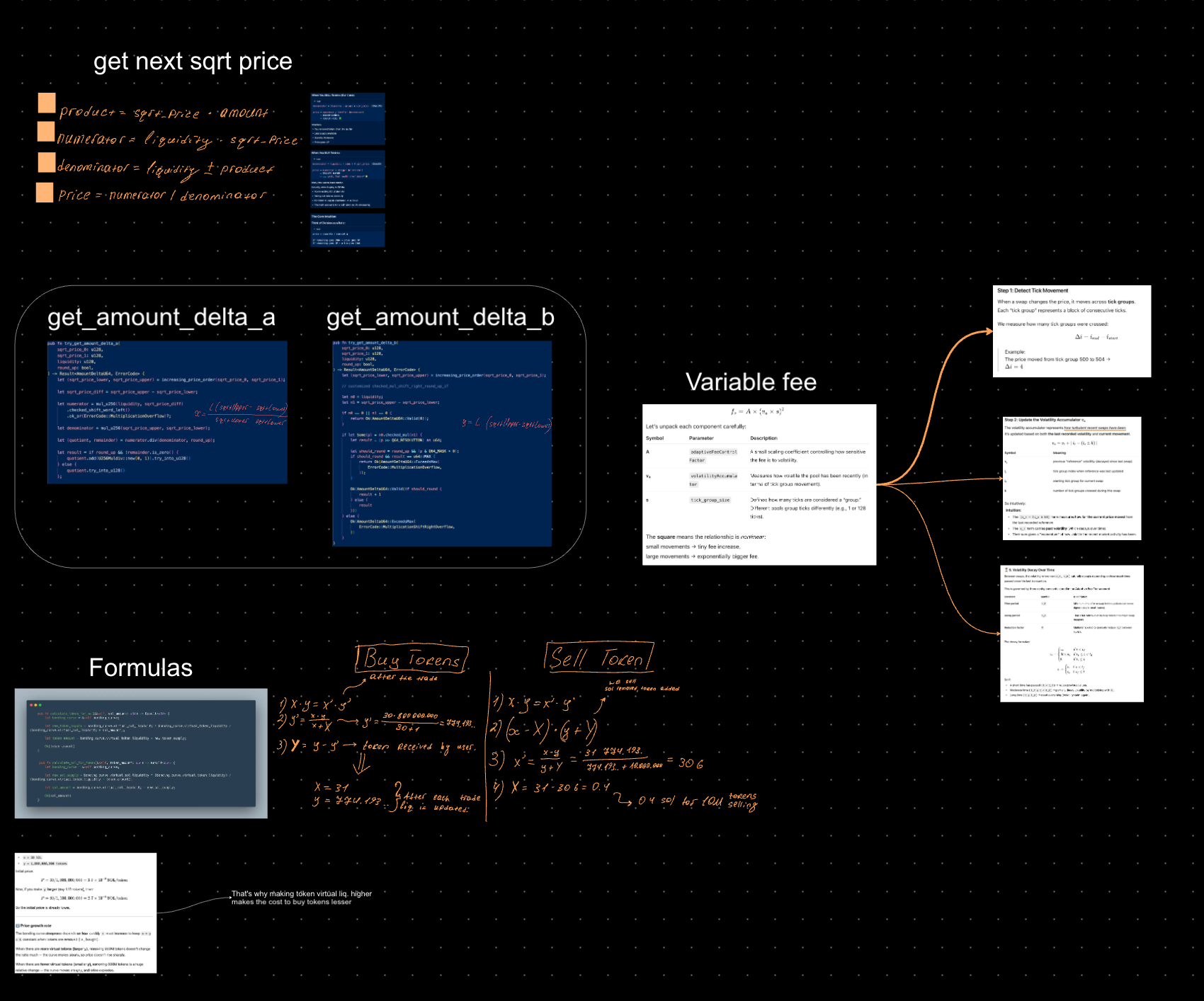
Miro — for drawings and state diagrams:
Notion — for text notes:
What each actor can do
What must always hold true
Where value enters and leaves
Which assumptions I haven’t tested yet
I revisit these notes often.
Bugs usually hide where my notes are vague.
Here’s my own notes structure:
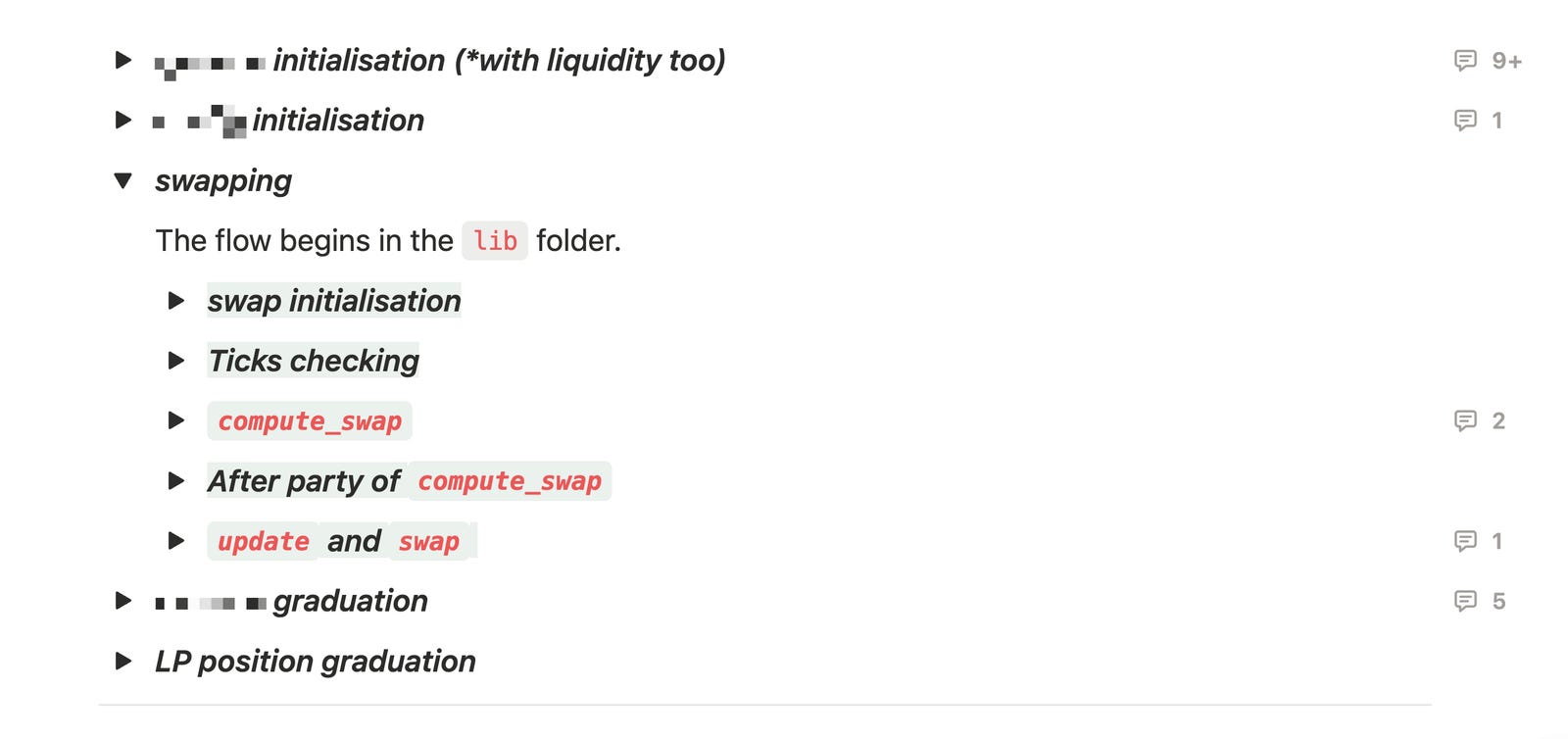
Better and clear notes = better bugs.
Case study — Raydium CLMM
Here’s how all this plays out in a real protocol.
Raydium’s CLMM uses a default tick range for its pools.
Storing all ticks is too expensive, so it limits the active range.
If you want to deposit outside that range, you pass an extension account with extra ticks.
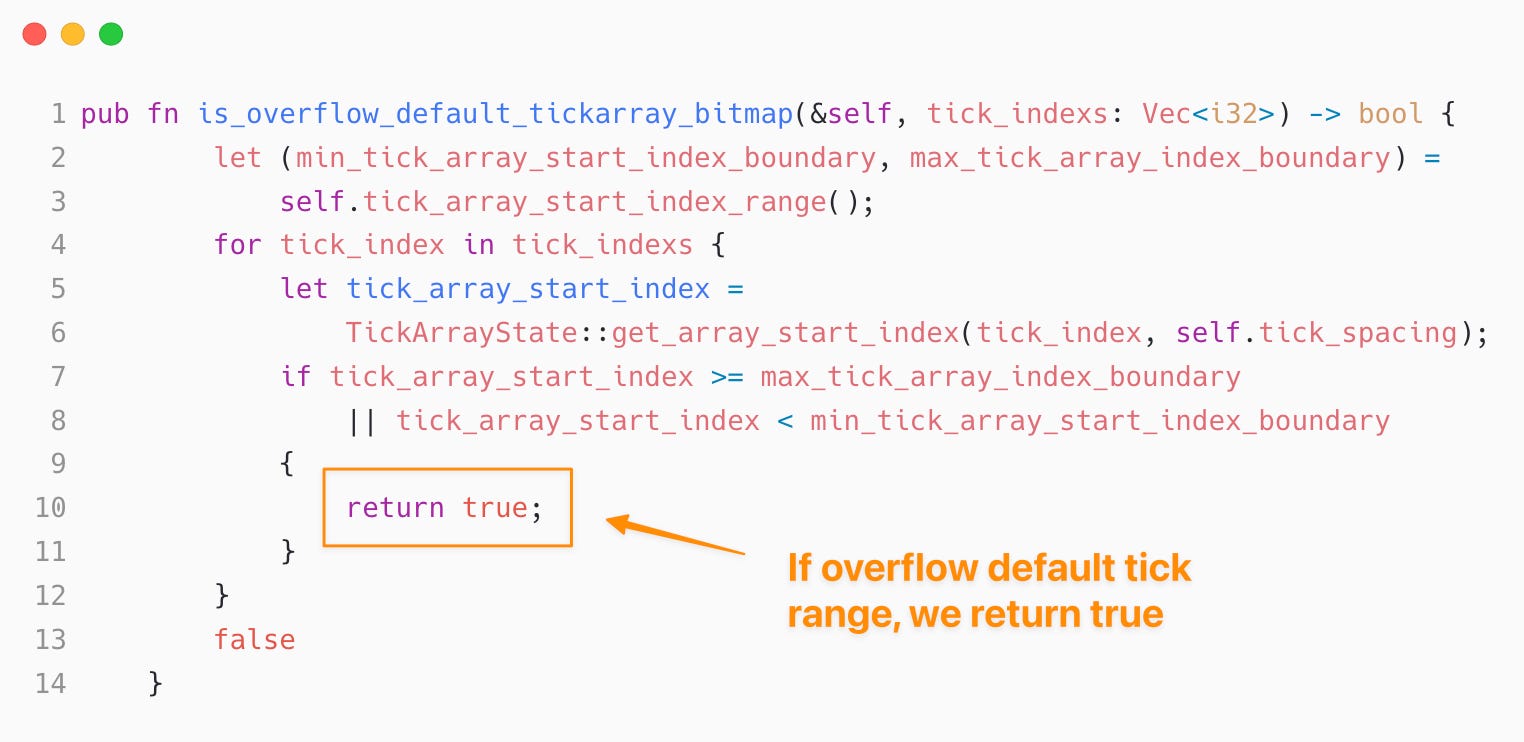
That idea is fine.
The problem was validation.
The program didn’t verify that the “extra ticks” account belonged to the correct pool.
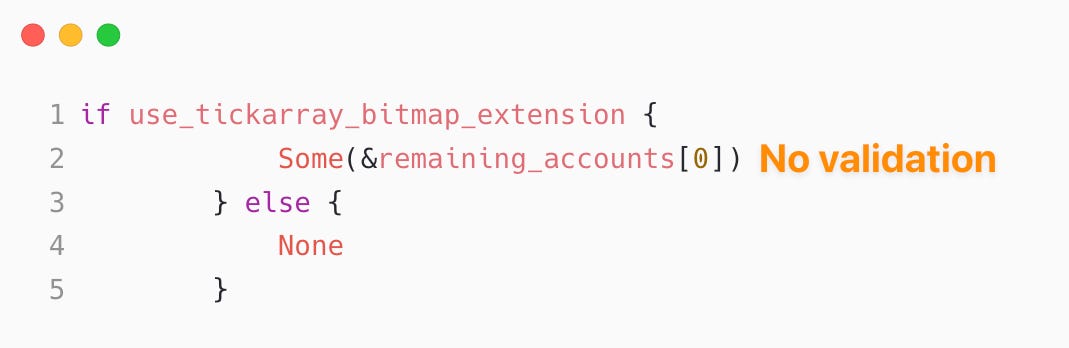
That one oversight let an attacker:
Create their own pool
Forge an “extra ticks” account for it
Pass it to a victim pool
By doing that, they could flip tick state in the victim pool.
And that state persisted.
Later swaps used the tampered tick, so liquidity accounting broke.
With a specific sequence of swaps + tick flips, the attacker inflated liquidity and withdrew more tokens than they should have.
Attacker didn’t brute-force the whole repo.
Attacker picked one flow — ticks handling
The real lesson
Complex bugs rarely show up when you first look.
You might follow one flow for weeks.
And sometimes you find nothing.
But this process scales:
Build a simple map
Abstract a few critical flows
Mark the contracts that matter
Go deep there and ignore everything else
That’s how you move from:
“I’m lost in this repo.”
to:
“I know exactly which flows can kill this thing.”